What would it cost
Frames × seconds × $3.30 an hour, before VAT.
$3.99 an hour incl. 21% IVA for the country picked below.
up to 20,000 per job
RTX 4090 time
28 min
240 × 7 s
At $3.30/hr
$1.54
USD, excluding VAT · $1.86 incl. 21% IVA
On the other cards a job can land on
- RTX 5090 · 32 GB · $4.60/hr
- $1.65 ($2.00 incl. 21% IVA)
- RTX PRO 5000 Blackwell · 48 GB · $5.40/hr
- $2.52 ($3.05 incl. 21% IVA)
- RTX PRO 6000 Blackwell · 96 GB · $11.50/hr
- $3.83 ($4.63 incl. 21% IVA)
Faster cards finish sooner at a higher rate; the figure is the same rendering at that card's measured speed. Among the cards that fit your scene we offer your job on whichever of these costs you least — counting the $3.30/hr figure above — and fix your job's rate at its published rate before you approve.
A rough figure from the published rate, not an estimate of your scene. Your job's estimate comes from a free probe of your own scene on a rented card; the amount we hold before it starts carries a buffer of at least 10% above it, the offer stands for 72 hours, and the most a job can ever be charged is 1.25× the amount held when you approve. You pay the metered actual; the rest stays on your balance. The four weights are examples; only “Typical” is a scene we have measured. The figures with VAT add the standard rate of the country picked.
What you are renting
One GPU per job, chosen for your scene.
Each job renders on a single GPU, rented on the open market for that job and handed back when it ends. Among the cards that fit your scene's VRAM with headroom, we offer your job on the one that costs you least per frame — the lowest figure in the last column of the table below, comparing only the cards whose speed we have measured ourselves. Its published rate is fixed for your job before anything is charged. No job is split across several GPUs, and there is no reserved capacity.
| Card | VRAM | Rate | With VAT | Speed | Per RTX 4090 hour | Speed is |
|---|---|---|---|---|---|---|
| RTX 4090 | 24 GB | $3.30/hr | $3.99/hr incl. 21% IVA | 1.00× | $3.30 | reference card |
| RTX 5090 | 32 GB | $4.60/hr | $5.57/hr incl. 21% IVA | 1.30× | $3.54 | measured on our render path, 2026-08-19 |
| RTX PRO 5000 Blackwell | 48 GB | $5.40/hr | $6.53/hr incl. 21% IVA | 1.00× | $5.40 | measured on our render path, 2026-10-01 |
| RTX PRO 6000 Blackwell | 96 GB | $11.50/hr | $13.92/hr incl. 21% IVA | 1.40× | $8.21 | measured on our render path, 2026-09-28 |
Rates in USD, excluding VAT, per hour of the rented machine from the moment it reports ready until your job finishes, metered by the minute; the “with VAT” column adds the standard rate of the country picked above. “Per hour of RTX 4090 work” is the rate divided by the speed: what the same rendering costs on each card. These are the only cards a job runs on today: every preview runs on an RTX 4090, a scene that needs more memory is previewed again on a larger card, and the job renders where its preview ran — so every speed here is one we measured.
Among the cards whose speed we have measured, the RTX 4090 is the cheapest per unit of rendering. The RTX 5090 renders 1.373× as fast on our corpus but rents at $4.60/hr against $3.30/hr, so an hour of RTX 4090 work costs $3.54 on it — about 7% more per frame at the catalog's rounded speed of 1.30×. That is a fact about price per unit of rendering on our fleet at these rates, and nothing else about any card.
Every job renders on the card its preview ran on. The preview runs on an RTX 4090, and a scene whose preview uses up to 20 GB of GPU memory renders there. One that needs more is previewed again, still free, on an RTX 5090, and renders there at the RTX 5090's rate. One that needs more than about 26 GB is previewed again, still free, on an RTX PRO 5000 Blackwell, and renders there at the RTX PRO 5000 Blackwell's rate. One that needs more than about 40 GB is previewed again, still free, on an RTX PRO 6000 Blackwell, and renders there at the RTX PRO 6000 Blackwell's rate. Scenes whose preview needs more than about 80 GB of GPU memory are not supported yet. Finding that out costs you nothing: the preview is free, and nothing is charged.
What we render
Blender 4.5.10, Cycles on the GPU.
- Blender
- 4.5.10 LTS
- Engine
- Cycles · OptiX or CUDA
- Scene
- one packed .blend, up to 2 GiB
- Job
- up to 20,000 frames · 15,360 px · 20,000 samples
- Output
- PNG · JPEG · OPEN_EXR · OPEN_EXR_MULTILAYER · TIFF · WEBP
Cycles, on OptiX where the card has it and CUDA where it does not; the CPU is never the render device. Pack your textures into the file (File → External Data → Pack Resources) — a scene that references a folder renders wrong on a machine that does not have it. Scripts embedded in a scene never run here.
Not supported today: Maya, Houdini, Cinema 4D, 3ds Max, Unreal Engine, V-Ray, Redshift, Arnold, Octane. Blender is the whole product, on purpose — no render-node licences to carry, and nothing of yours to hold but the scene.
How close the estimates came
In our 8 benchmark renders on rented RTX 4090s, every render finished under its estimate.
Those are classroom and 3 generated test scenes, each rendered on 2 rented machines (2026-08-14 and 2026-08-15). They finished between 4% and 23% under their estimates, and the amount held for each was between 15% and 61% more than it used: we hold more than the estimate on purpose, and you are billed for the minutes you actually use, so the difference stays on your balance. An estimate is a forecast, and your own scene can land either side of it — which is why a render that would cost more than 1.25× the amount held when you approved is stopped and parked, not billed onwards. Both runs, with their numbers.
How fast each card is
How long a frame takes
What it looks like
A form, a meter, a list, a wallet.
01
Upload your scene
One packed .blend, with your frame range and settings. Nothing is charged, and no GPU is rented for you yet.
02
We measure it
We rent a GPU and render a probe of your actual scene — not a guess from its file size. That tells us how long it takes and how much VRAM it needs.
03
You see a frame, and a price
A real frame from your scene, rendered on a rented RTX 4090, next to what the full render will cost and the most it could ever cost.
04
It renders, and you watch it
Frames are checkpointed as they finish, so a lost machine resumes rather than restarts. The cost ticks up in front of you and stops where you agreed.
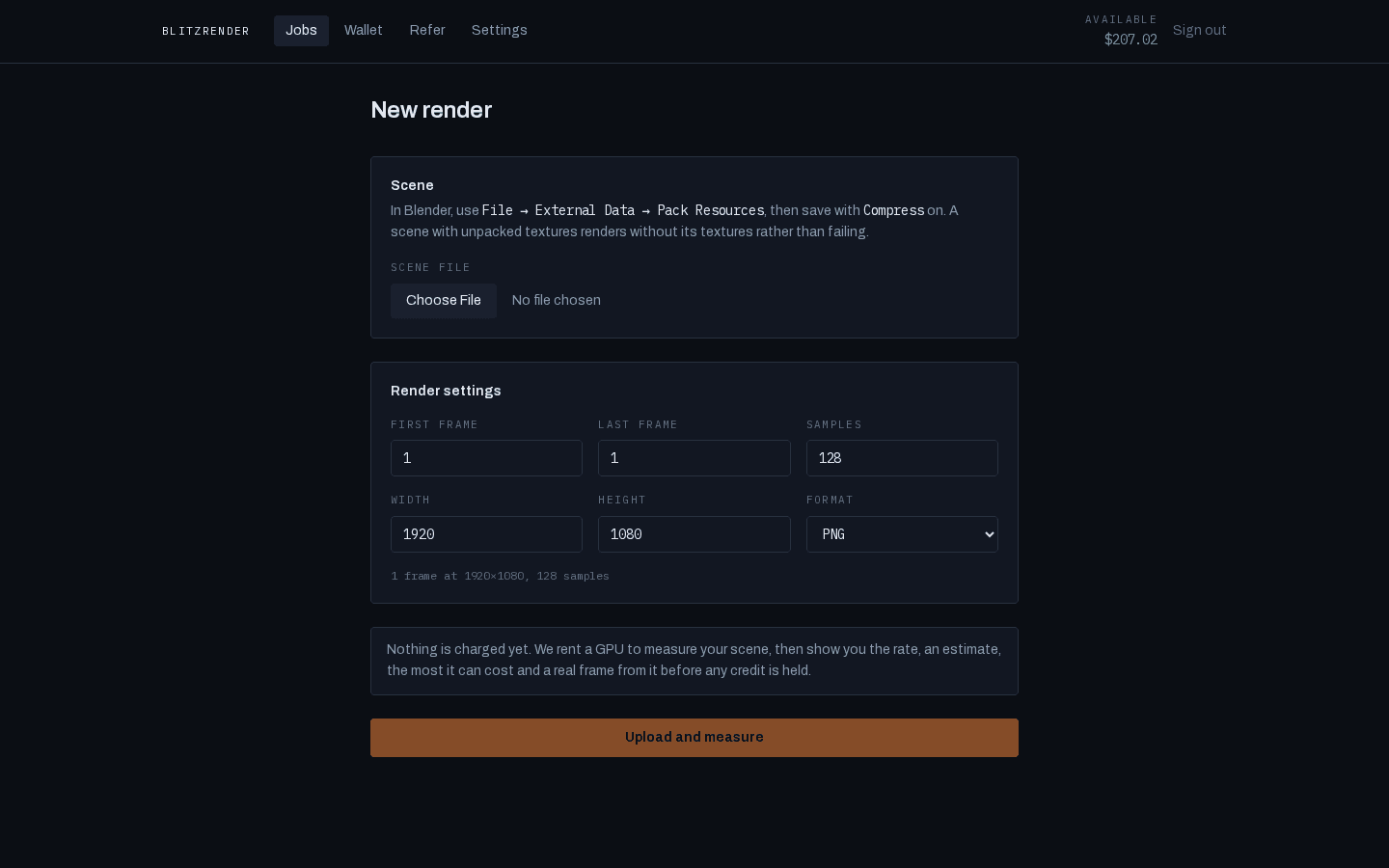
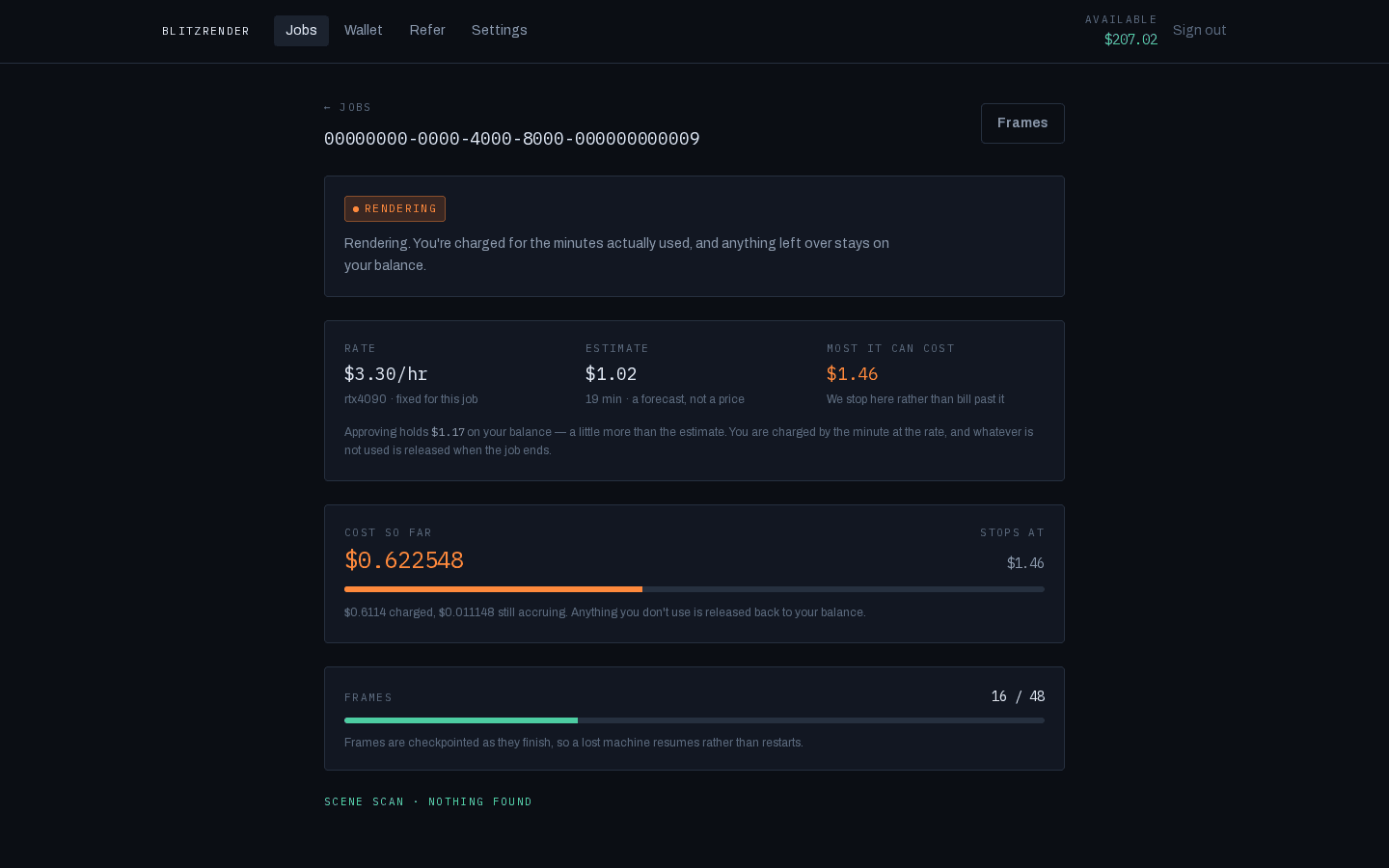
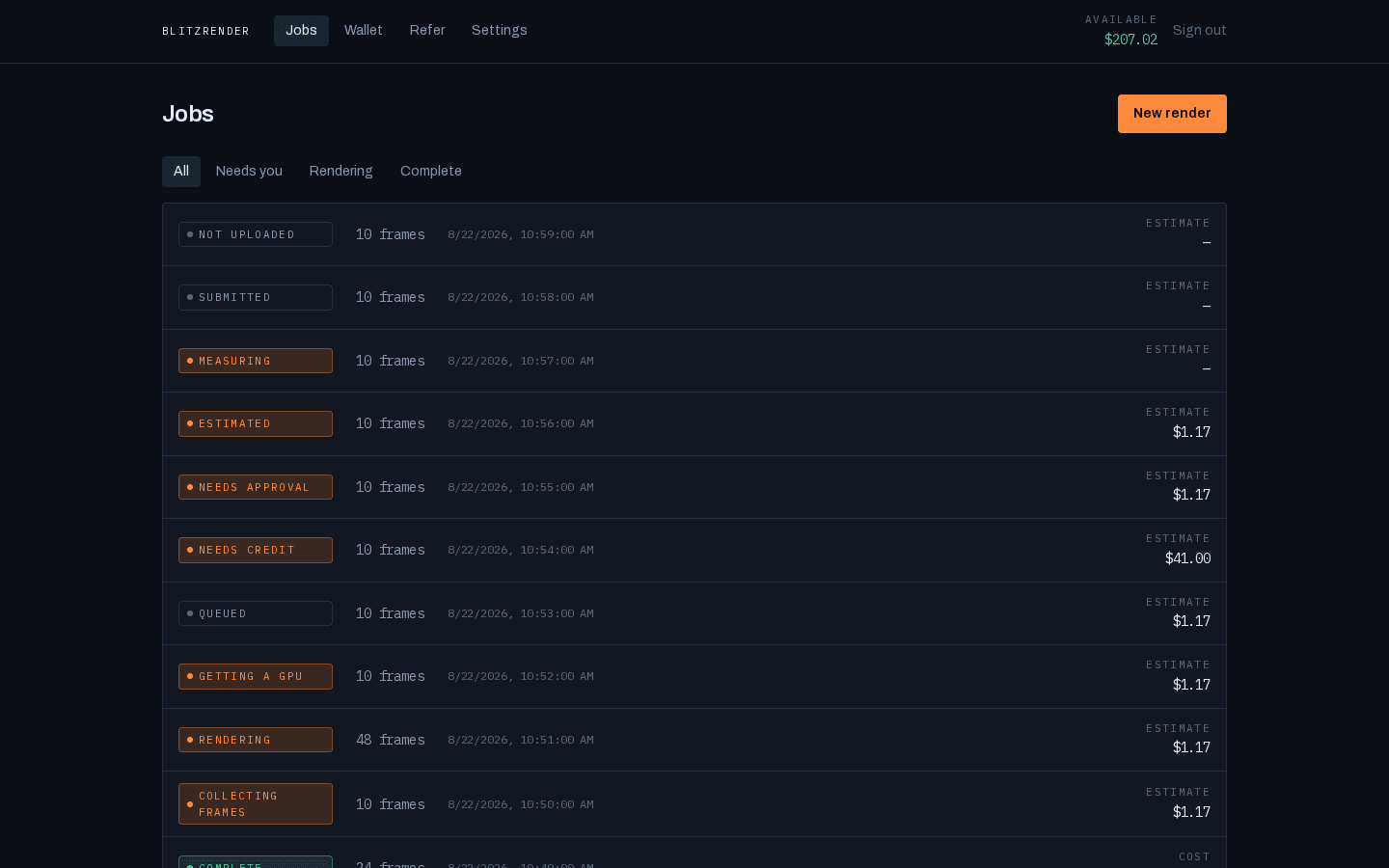
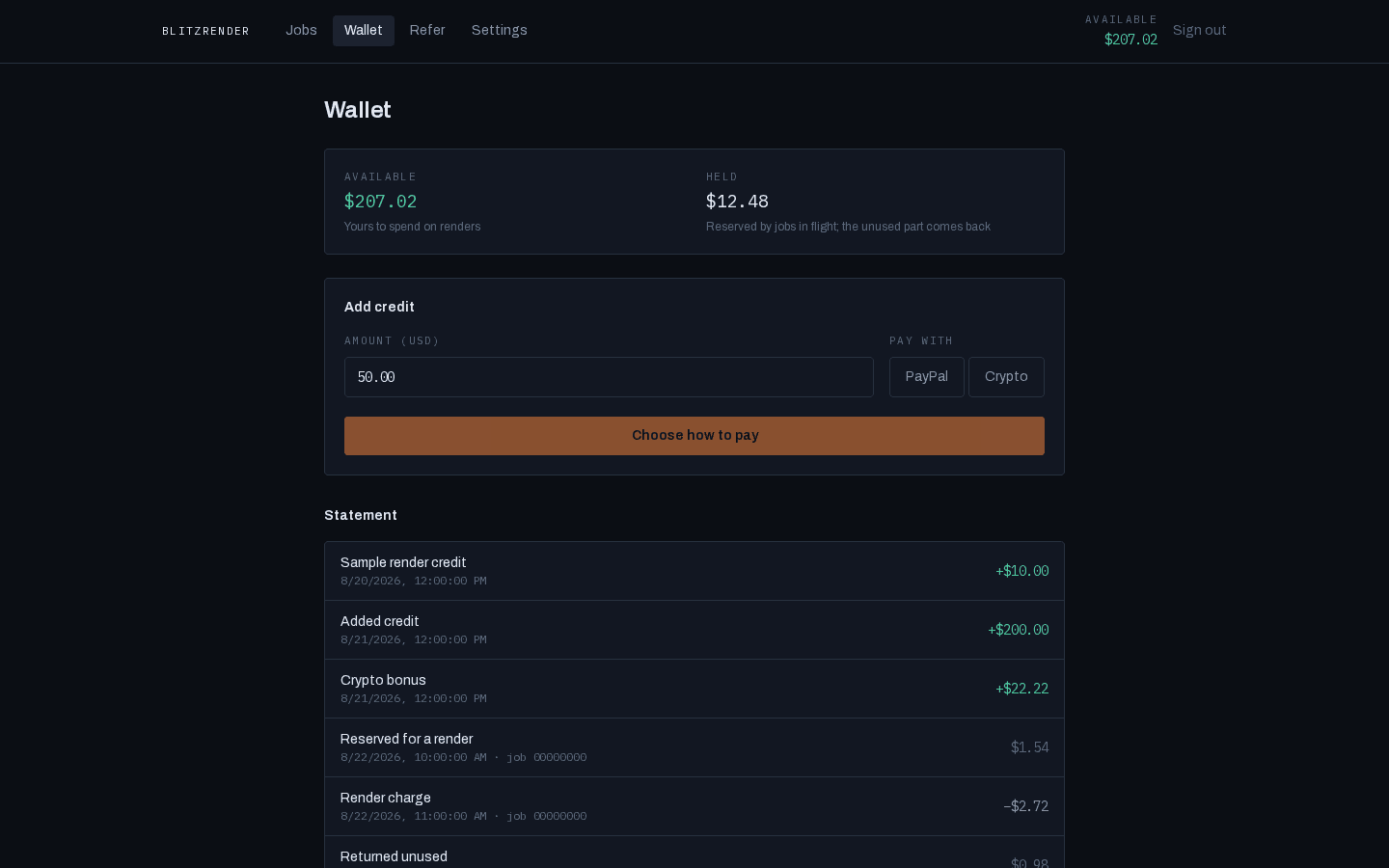
Screenshots of this app running on fixture data. There is no customer here and no rendered frame of anyone's scene: the site publishes numbers, and pictures of its own interface.
Why paying up front is safe here
You see it first
Nothing is charged until you have looked at a frame of your own scene rendered on real hardware — whichever way you paid, and especially if you paid in a way that cannot be reversed.
There is a ceiling
A render stops rather than billing past the maximum shown before you approve. It is the most you agreed to, not a target we creep towards.
You get the rest back
We hold a little more than the estimate and charge the minutes you use. Whatever you did not use returns to your balance the moment the job settles.
Fund your balance with PayPal or with crypto. A crypto deposit carries a 11.11% bonus because it costs us less to accept. Renders are the same price whichever way you fund them. How billing works.
Your files
Your scene goes to one rented machine, for one job, and that machine is destroyed when the job ends. It holds a credential for that job alone, good for 7 hours. The process that opens your scene cannot reach the network. Uploaded scenes are deleted 30 days after upload, and rendered frames 30 days after they are rendered, so download what you need before then; the terms say so. We never feature your work without asking.
Who we are
BlitzRender is the trade name of Noelia Caba Martín, sole trader, in Granada, Spain. Render machines are rented per job from a GPU marketplace and may be anywhere; your scene is on one only while your job runs. Terms, privacy and who to write to.
Start with a sign-in
Your first sign-in with a GitHub or Google account opens your BlitzRender account. If new accounts aren't open yet, the sign-in page says so — write to us and we will open one for you.
If you publish work — a channel, a portfolio, tutorials — ask for a free sample render once you have an account, from the email address on it. If we agree — whether an account receives it is our decision — we put $10 of render credit on the account, with no deposit needed. It is promotional credit: one per account, spendable on rendering only, not refunded, not transferable, and it does not expire. It covers a render whose held amount is up to $10; a bigger job needs a deposit like any other. Service Terms §4 describe it.
Get started